DNS Record Types Explained
Here’s a complete deep dive into DNS Record Types - from absolute basics to real-world usage.
Turning chai into code and ideas into full-stack applications. Sharing lessons from my development journey, one commit at a time.
Have you ever typed a website name like example.com and wondered… how does the browser know where to go?
This is not a magic. It's DNS: “The phonebook of the internet”.
Just like you look up a friend’s number in a phonebook, your computer looks up a website’s IP address in DNS.
In this blog, we’ll understand DNS end to end, in simple language with real-time examples, and clear diagrams.
Before going to deep down about DNS first we should know about The Internet Before DNS.
The Internet Before DNS
In the earliest days of the internet (ARPANET, 1960s–1980s), every computer was identified by its IP address, a long string of numbers like:
192.168.1.1
While computers could communicate with each other using these addresses, humans got a problem: numbers are hard to remember. Imagine trying to visit websites or send emails by memorizing long strings of digits for hundreds of machines—it was impractical.
Humans can’t remember long numbers, especially when there were hundreds or thousands of machines.
The First Solution: HOSTS.TXT
To solve this, the first approach was the HOSTS.TXT file, created by MIT and ARPANET in 1970s, a simple text file maintained by every computer on the network. It contained mappings of names to IP addresses, for example:
192.168.1.1  alice-computer
192.168.1.2  bob-server
Every computer on the network had a copy of this file.
While this worked for small networks, it had serious limitations:
Maintenance Nightmare: Every time a new computer or server was added, the file had to be updated on all machines.
Scaling Problems: It worked for dozens of computers but could not handle thousands or millions.
Errors: One outdated file could make a machine unreachable.
DNS – The Internet’s Phonebook
Recognizing these challenges, In 1983, Paul Mockapetris invented the Domain Name System (DNS) - The distributed, hierarchical system to map domain names → IP addresses automatically. Solving all the problems of HOSTS.TXT
What is DNS
Now we know who created DNS and it solves the problem of HOSTS file. Now let’s understand what DNS refers to:
DNS - Domain Name System
DNS is commonly known as Phonebook of the internet, Because it manages ip addresses for several Domain names registered on the internet. Its like when we call a friend from our phone but in reality phone dials friend’s contact number rather to name only, DNS does the same it maps the Domain names into IP address.
How it solved problems:
Distributed: No single file; DNS servers manage different parts of the internet.
Hierarchical: Organized in layers: Root → TLD - Top level domain (.com, .org) → Domain → Subdomain
Dynamic: Can add/change domains without updating every computer on the network.
Scalable: Works for millions/billions of websites
Why We Need DNS Today
Today, DNS is absolutely essential for the internet to function smoothly. Humans can use easy-to-remember names like google.com instead of IP addresses. Websites can move servers without changing URLs. DNS provides facilities like :
Memorable Names
Flexibility
Email Routing
Security & Verification
Speed
In short, before DNS, the internet was chaotic, hard to scale, and error-prone. After DNS, it became user-friendly, scalable, and reliable, making today’s vast global internet possible.
Mental Model : Before and After DNS
| Before DNS | With DNS |
| Everyone memorized house numbers (IP addresses) | You just need the street name (domain name) |
| Each person updated their own notebook | Centralized “phonebook” servers update automatically |
| Mistakes = lost letters | Correct name → right house every time |
| The internet was chaotic, hard to scale, and error-prone. | Internet became user-friendly, scalable, and reliable. |
What is a DNS record?
DNS records are instructions that live in DNS servers and provide information about a domain including what IP address is associated with that domain and how to handle requests for that domain.
These records consist of a series of text files written in what is known as DNS syntax. DNS syntax is just a string of characters used as commands that tell the DNS server what to do.
All DNS records also have a ‘TTL’, which stands for time-to-live, and indicates how often a DNS server will refresh that record.
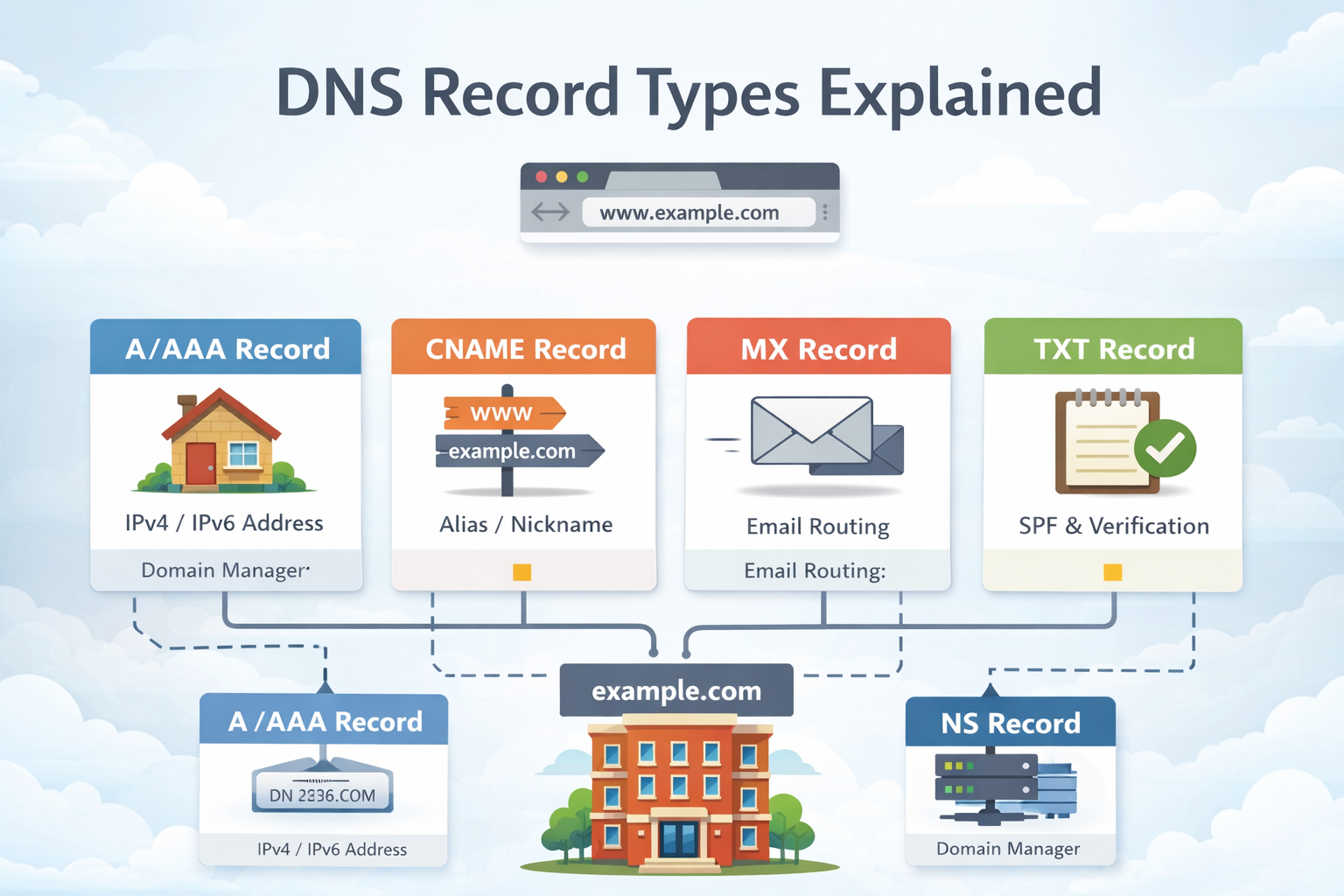
The most common types of DNS record
NS record - Stores the name server for a DNS entry.
A record - The record that holds the IP address of a domain.
AAAA record - The record that contains the IPv6 address for a domain.
CNAME record - Forwards one domain or subdomain to another domain, does NOT provide an IP address.
MX record - Directs mail to an email server.
TXT record - Lets an admin store text notes in the record. These records are often used for email security.
In simple terms, DNS records are like a guidebook that tells the internet where to send traffic for websites, emails, and other services.
NS Record (Name Server Record)
NS Record specifies which DNS servers are authoritative for a domain.
NS Records tell the internet which servers are responsible for managing a domain’s DNS records. Without NS records, the domain wouldn’t know which server controls its DNS.
example.com → ns1.cloudflare.com
example.com → ns2.cloudflare.com
Domains usually have multiple NS records for redundancy.
Components:
Domain name: The domain whose DNS is managed (example.com)
Name server: The authoritative DNS server (ns1.cloudflare.com)
How NS Records Works
A client or DNS resolver queries the root DNS servers for a domain.
Root servers return the NS records pointing to authoritative DNS servers.
The resolver queries the authoritative server to get actual records (A, MX, CNAME, TXT, etc.).
NS Records are like the building manager who decides who controls the rooms (records) and how mail or services are routed.
A Record (Address Record)
An A Record maps a domain name to an IPv4 address. Its main purpose is to tell computers which server to connect to when accessing a domain.
Here is an example of an A record:
example.com → 192.0.2.1
It converts a domain like
example.cominto an IP address such as192.0.2.1A records store only IPv4 addresses
Most websites have one A record, but large websites may use multiple A records for load balancing. It allows users to access websites using easy-to-remember domain names instead of numeric IP addresses.
Use Cases
Websites
APIs
backend servers
The street address of your house - without it, no one can find you.
AAAA Record
DNS AAAA records match a domain name to an IPv6 address. DNS AAAA records are exactly like DNS A records, except that they store a domain's IPv6 address instead of its IPv4 address. Its purpose is to support modern networks using IPv6, allowing more devices to connect globally.
Example of an AAAA record:
example.com → 2606:2800:220:1:248:1893:25c8:1946
IPv4 addresses are running out so we need to switch to IPv6, IPv6 provides a much larger address space, because of this, IPv6 adoption is increasing.
Use Cases
IPv6-enabled websites
servers
Like an A record, but designed for the next generation of internet addresses.
CNAME Record (Canonical Name Record)
A CNAME (Canonical Name) record is a DNS record that maps one domain name (alias) to another domain name (canonical name) instead of an IP address.
It allows multiple domain names to point to the same destination, simplifying domain management.
www.example.com → example.com
All CNAME records must point to a domain, never to an IP address.
How CNAME Works
User enters alias domain (www.example.com)
DNS query finds CNAME record (www.example.com → example.com)
DNS then resolves the canonical name (example.com) to an IP (example.com →
192.68.1.1(A record)Browser connects to the IP and loads the website
Rules for Using CNAME Records
Alias only: CNAME should only point to another domain, never directly to an IP.
No other records: A domain with a CNAME cannot have other DNS records (like A, MX, TXT).
Root domain restrictions: The root domain (
example.com) usually cannot be a CNAME, only subdomains can.Works with multiple subdomains: blog.example.com → example.com
Use Cases
Subdomains
CDN setup
SaaS platforms
Its more like a nickname pointing to a real name - all mail or traffic sent to the nickname goes to the same person.
A Record vs CNAME:
A record → maps domain directly to IP
CNAME → maps domain to another domain
MX Record (Mail Exchange Record)
MX Record specifies the mail servers which mail server should receive emails for a domain.
MX Record’s purpose is to direct emails to the correct mail server, supporting priorities. Without MX records, emails sent to your domain would not know where to go.
example.com → mail.google.com (priority 10)
Lower priority numbers are tried first. Multiple MX records can provide failover.
Components:
Domain name: The domain receiving emails (example.com)
Mail server: The hostname of the email server (mail.google.com)
Priority: Determines the order of servers to try (lower numbers = higher priority)
How MX Records Works
Email sender queries DNS
Priority determines delivery
Email is delivered to the mail server
Mail server stores and delivers email to the recipient
NS vs MX
NS record: Tells which server manages your domain’s DNS.
MX record: Tells which server handles your emails.
TXT Record (Text Record)
TXT Record stores arbitrary text information associated with a domain.
TXT Records are mainly used for verification, authentication, and extra instructions. Common use cases include SPF, DKIM, and DMARC for email security, or proving domain ownership to services like Google or Facebook.
example.com → "v=spf1 include:_spf.google.com ~all"
Email spam protection: TXT records are essential for email authentication methods that prevent domain spoofing:
SPF → Lists which mail servers are allowed to send emails for a domain
DKIM → Uses digital signatures; the public key is stored in a TXT record
DMARC → Defines how to handle emails that fail SPF/DKIM checks
TXT records can hold any text, and multiple TXT records can exist for one domain.
Components:
Domain name: The domain the text applies to (example.com)
Text value: The content of the TXT record (e.g., SPF/DKIM/DMARC string)
How TXT Records Works
Service (email or verification tool) queries DNS for TXT records.
DNS returns the TXT record(s) for the domain.
The service checks the text value for verification or email authentication.
TXT records are like sticky notes on your mailbox, giving extra instructions to visitors or mail carriers.
How All DNS Records Work Together
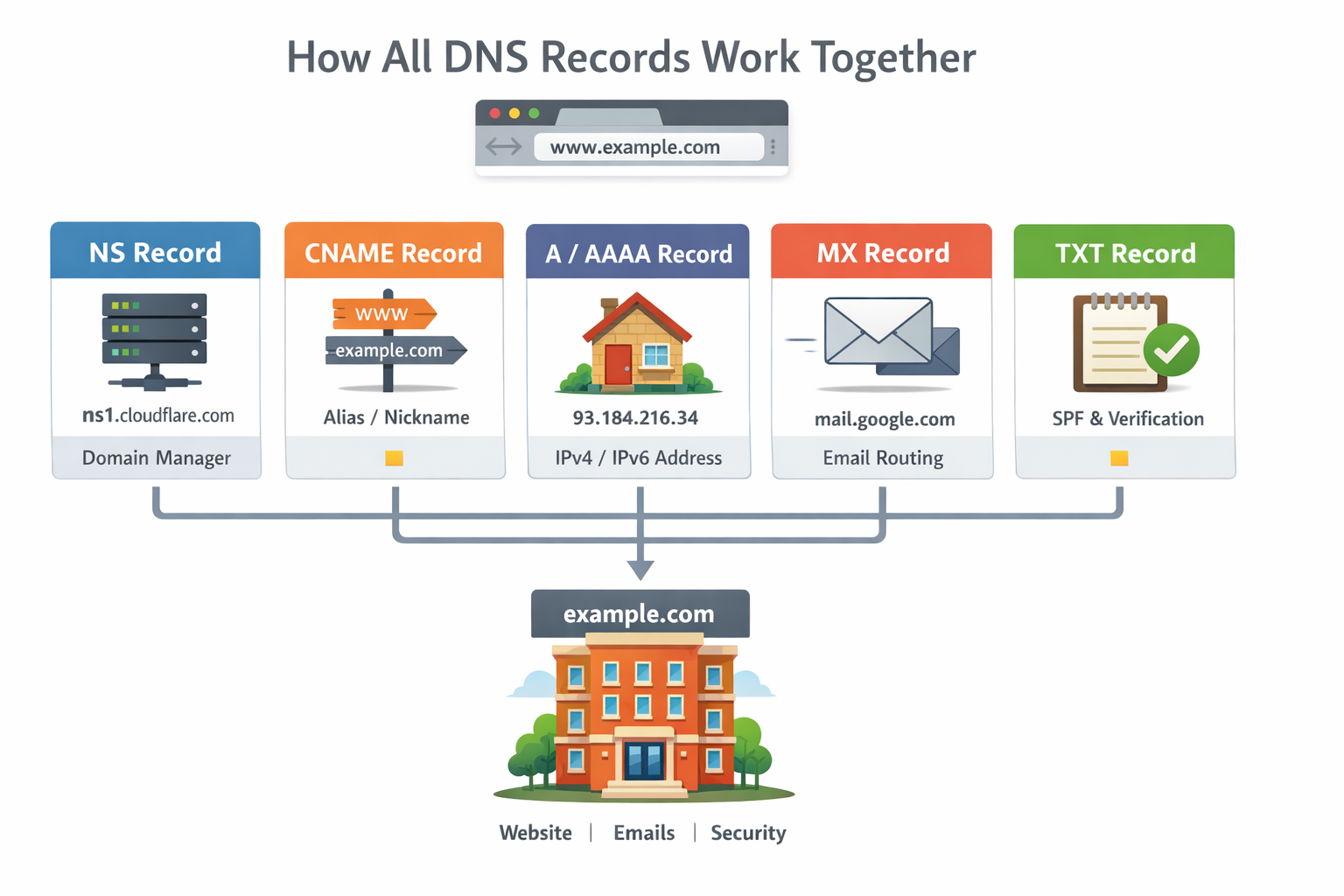
When you type www.example.com, multiple DNS records work together to make everything run smoothly:
NS Record: Tells which DNS servers manage the domain.
CNAME Record: Redirects subdomains like
wwwto the main domain.A / AAAA Record: Provides the domain’s IPv4 or IPv6 address so the browser can connect.
MX Record: Directs emails to the correct mail server.
TXT Record: Adds verification or security instructions for services like email.
User types www.example.com
        ↓
NS → Which DNS server?
        ↓
CNAME (if exists)
        ↓
A / AAAA → IP address
        ↓
Website loads

Email sent to @example.com
        ↓
MX → Mail server

Security checks
        ↓
TXT → Verify & protect
Conclusion
DNS records work as a team:
NS: Building manager
A/AAAA: Street address
CNAME: Nickname
MX: Mailroom
TXT: Notes with instructions
All records together ensure websites load correctly, emails reach the right server, and domain security is enforced.


